Console · Campaign management
Making complex campaign rules readable for everyone
In Lidia Console, marketing teams run cart, category, coupon and loyalty campaigns across channels. I designed the campaign list, the performance overview and the rule builder as one flow. Here they are, redrawn with sample data.
Lidia's real screens are confidential. Screens on this page are representative work, redrawn with sample data based on my experience on these products.
Problem
A campaign rule is made of several conditions and rewards. When the screen only shows form fields, it's hard to tell who actually gets what, and budget or conflict problems often surface after launch.
Solution
Rules built with AND/OR groups, a live summary that turns the rule into a plain sentence, a pre-launch conflict check and a budget run-out forecast.
Intended impact
Whoever builds the campaign understands what they're launching before it goes live, with fewer budget and conflict surprises.
Screen 1
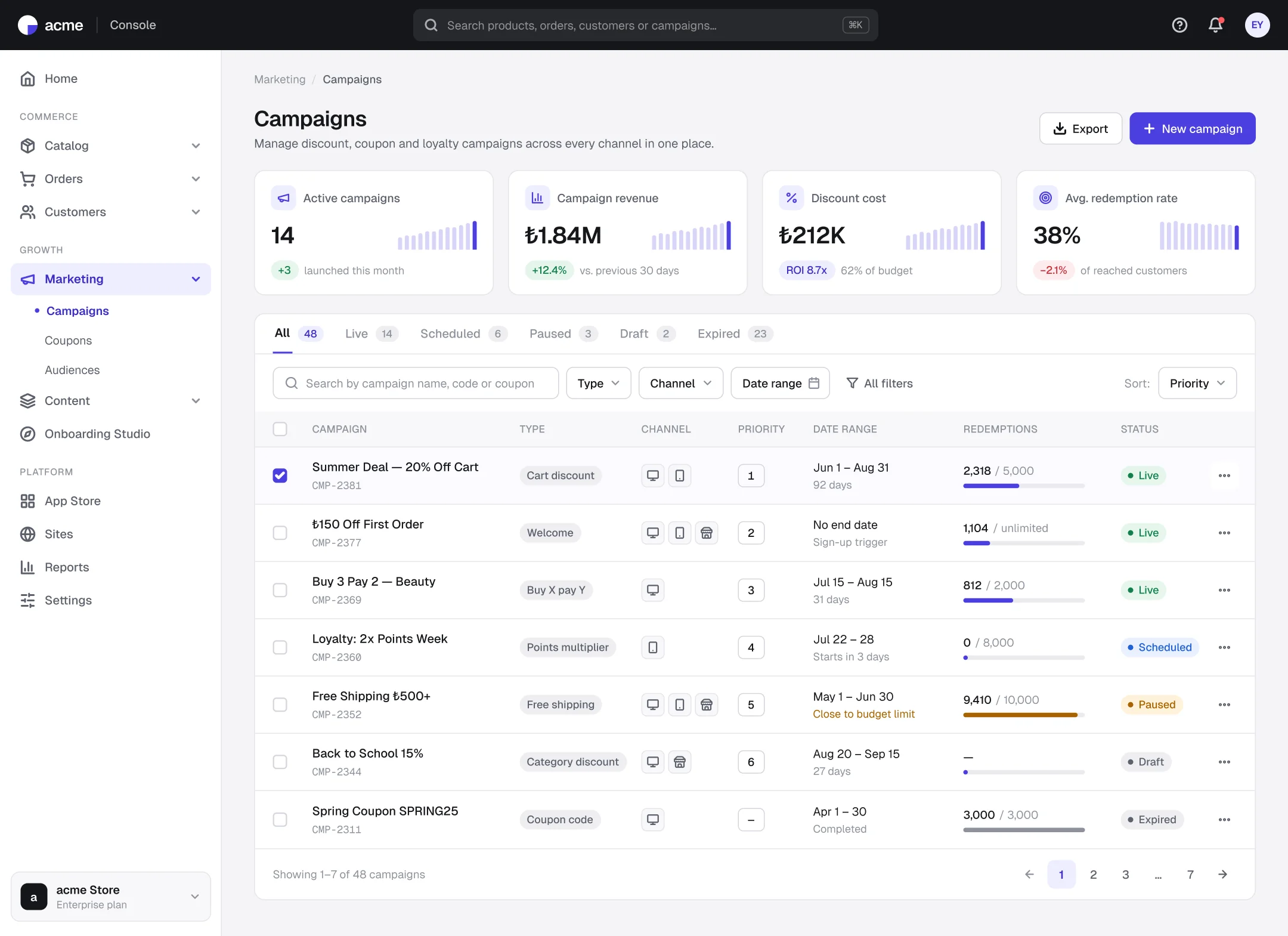
Campaign list: status, channel and redemptions at a glance
- 1
Status tabs with counts
Live, scheduled, paused… each tab shows how many campaigns it holds, so the team sees what needs attention without opening it.
- 2
Redemptions against the limit
Each row shows redemptions against the limit as a bar, and campaigns close to the limit change color.
- 3
Priority is visible
The order in which campaigns are evaluated can be read right in the list.
Screen 2
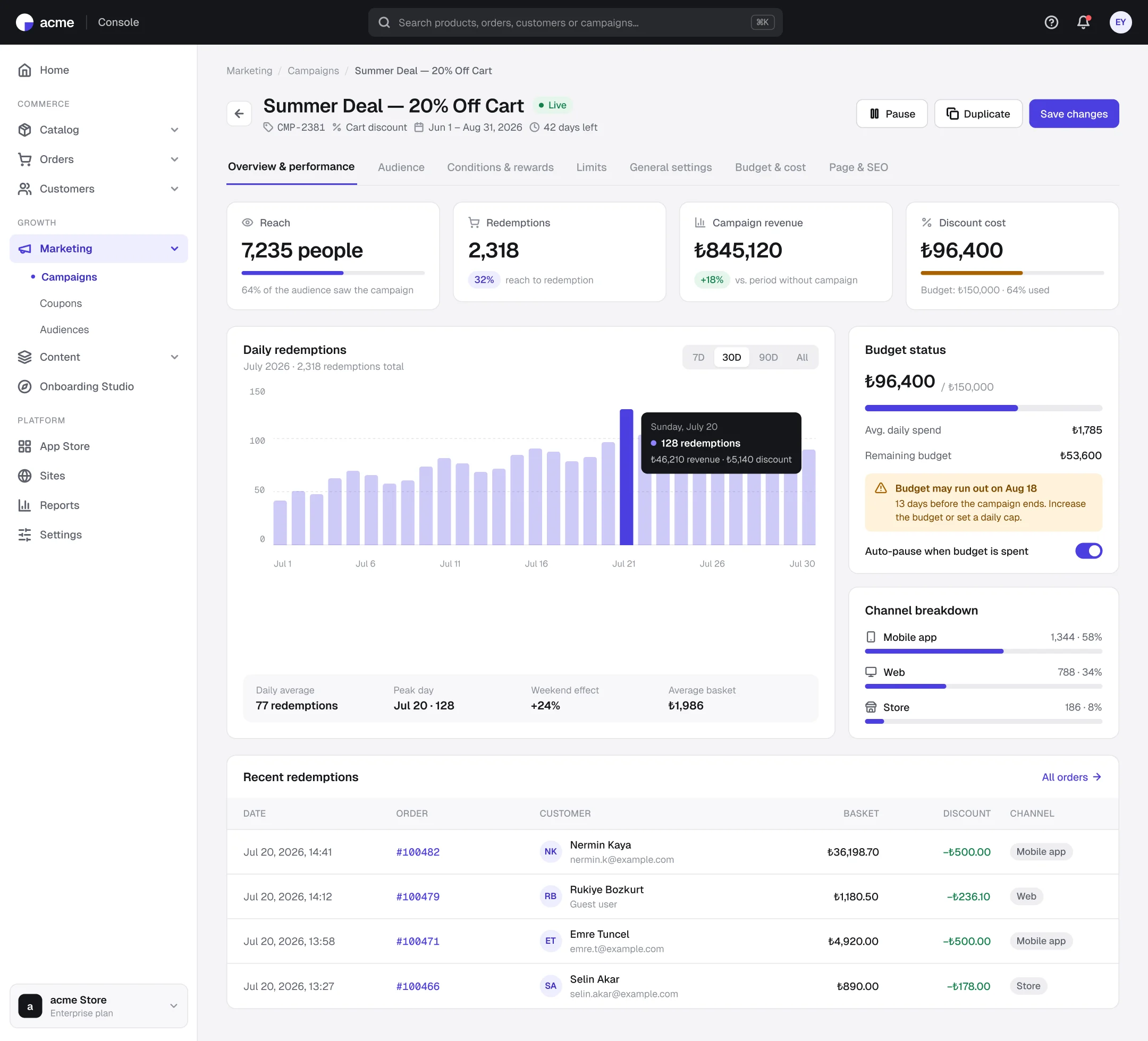
Overview and performance: warn before the budget runs out
- 1
Reach to cost in one row
Reach, redemptions, revenue and discount cost sit side by side, so the campaign funnel reads at a glance.
- 2
Budget run-out forecast
The run-out date is calculated from the daily spend rate, with a warning well before the campaign ends.
- 3
Channel breakdown
Seeing which channel performs informs the channel choice for the next campaign.
Screen 3
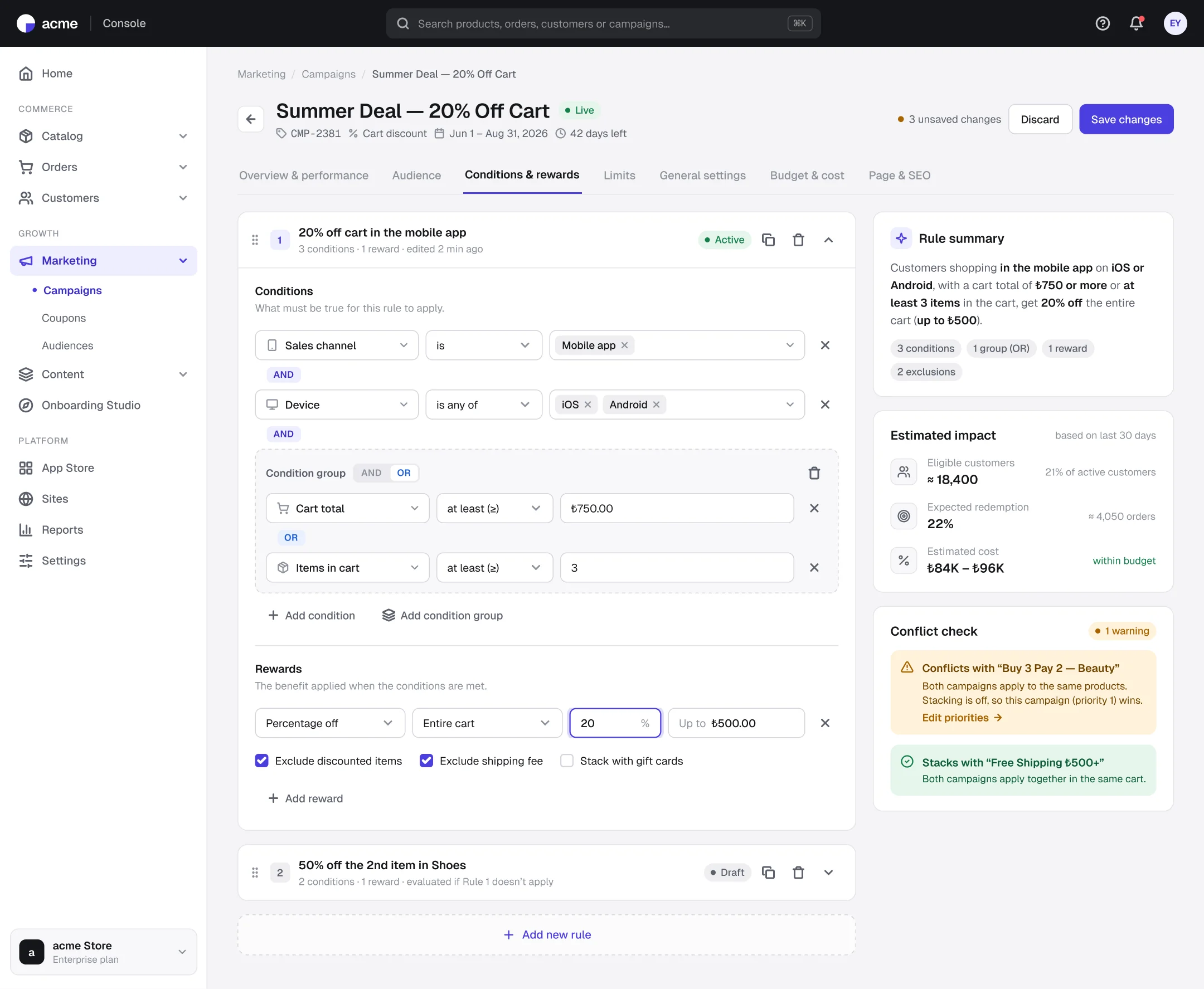
Conditions and rewards: a builder that turns rules into sentences
- 1
AND/OR groups
Conditions are built in sequence and in groups, with the connectors written out between rows.
- 2
Live rule summary
The rule becomes a plain sentence in the side panel, so a non-technical teammate can check it too.
- 3
Conflict check before launch
Other campaigns on the same products, and which one wins by priority, are shown before saving.
Outcomes
Intended impact and what I learned
One sentence
who gets what, while building the campaign
Before launch
when conflicts and budget risk become visible
One screen
campaign performance from reach to cost
Say the rule back in the user's words.
Reading one sentence instead of a set of fields makes mistakes easier to spot.
Show risk where the decision is made.
Budget and conflict warnings live on the editing screen, not on a separate report page.
Next steps: campaign templates · A/B tested campaigns · logs for budget-based auto-pause