Console · App & AI Agent Store
Giving AI agents access, with confidence
I designed Lidia's app and AI agent management flows from zero. This case walks through the store from discovery to setup; the screens are redrawn with sample data.
Lidia's real screens are confidential. Screens on this page are representative work, redrawn with sample data based on my experience on these products.
Problem
Setting up an AI agent means giving it access to customer messages, orders and returns. When businesses can't clearly see what it will do and what it will touch, they don't install it.
Solution
A detail page that spells out the agent's capabilities, the data it reads and the actions that wait for approval, plus a 4-step setup that carries the permission summary through to payment.
Intended impact
Trust is built before setup, so the decision to start a trial comes with fewer open questions.
Screen 1
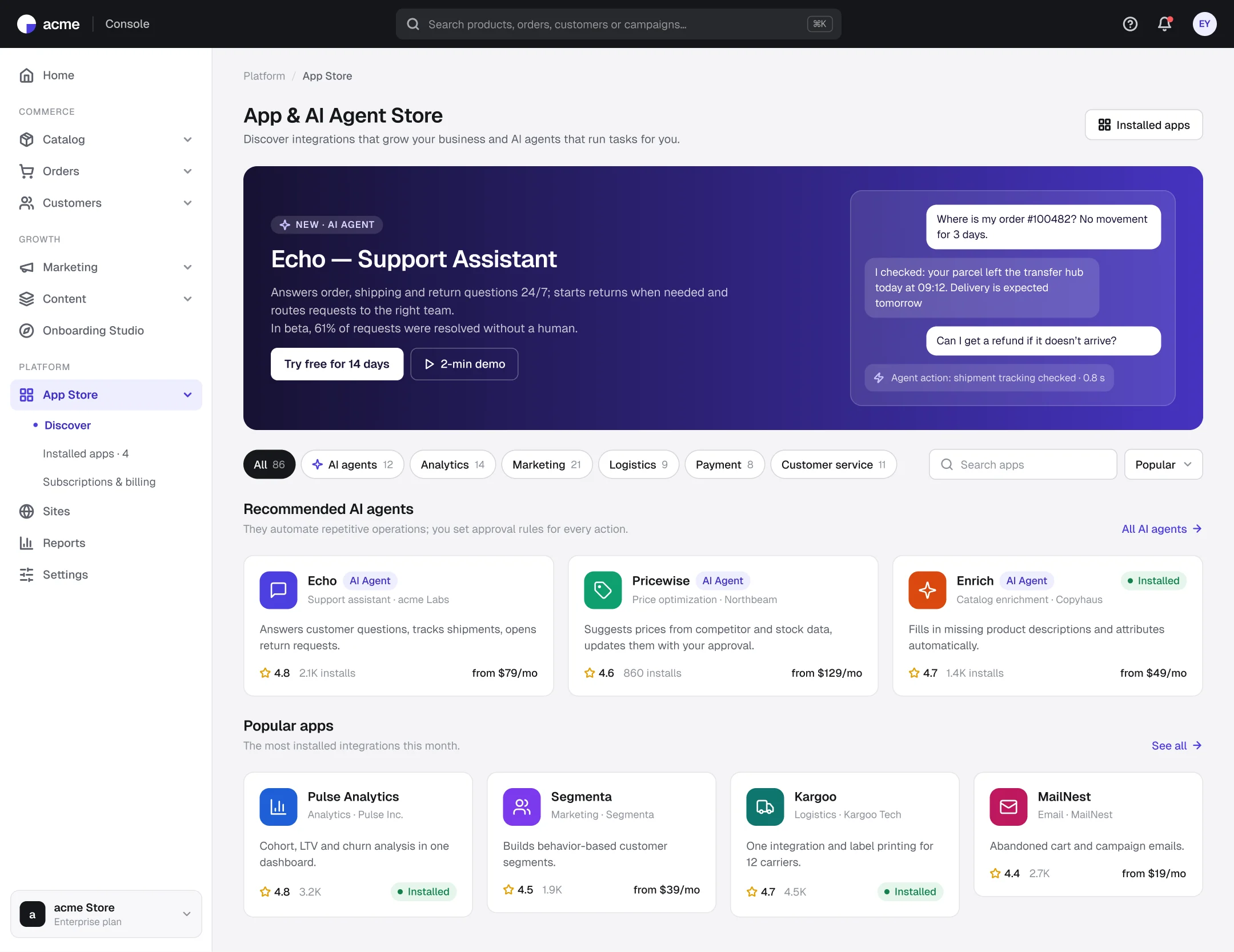
Discover: apps and agents in one storefront
- 1
The featured agent shows what it does
The storefront previews how the agent handles a real conversation and which action it takes.
- 2
Agents stand apart
An AI agent badge and category filter separate task-running agents from classic integrations.
- 3
Enough to decide
Rating, installs and starting price are on the card, so teams can shortlist without opening details.
Screen 2
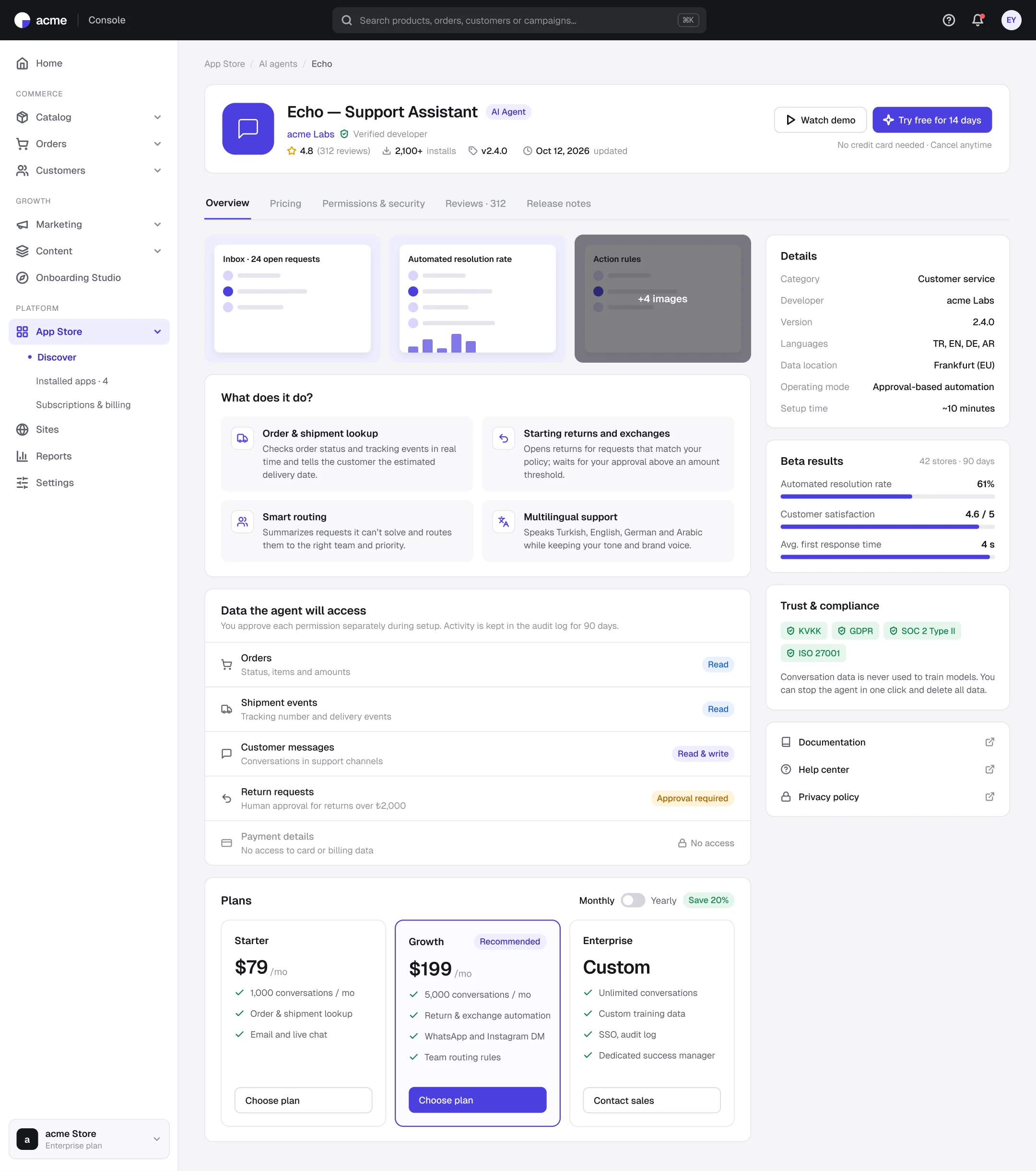
Agent detail: what it does, what it reads, where it waits for approval
- 1
Access table
Each data type is labeled clearly: read, read & write, approval required or no access.
- 2
Human approval threshold
Risky actions, such as returns above an amount, explicitly wait for a human.
- 3
Trust signals alongside
Data location, compliance and beta results are visible at the moment of decision.
Screen 3
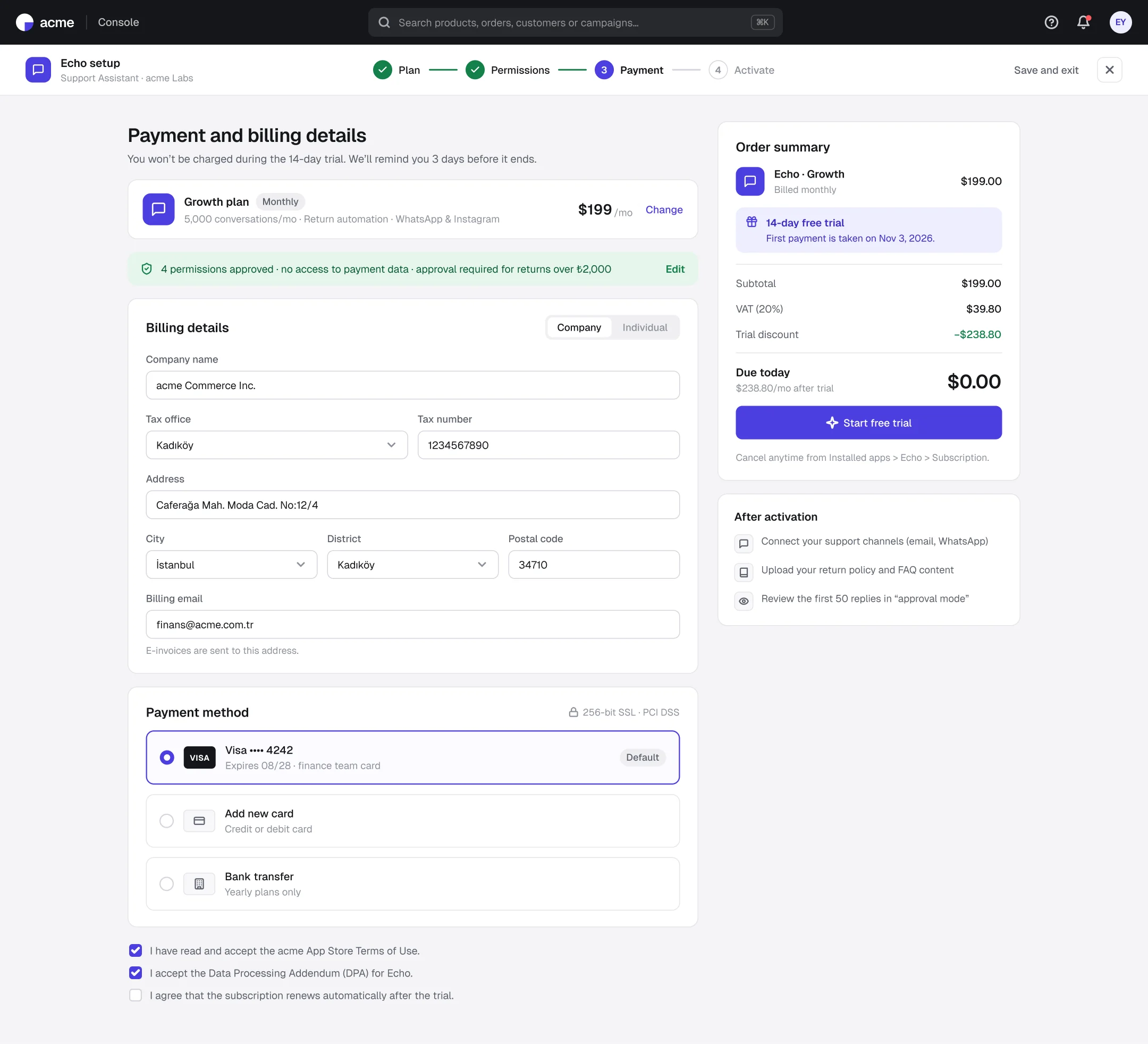
Setup: permission summary and a clear amount due today
- 1
Stepped setup
Plan, permissions, payment and activation; users always know where they are.
- 2
Permissions stay visible at payment
The permission summary is repeated at payment, so whoever pays sees what was approved.
- 3
The trial is spelled out
Amount due today, first payment date and how to cancel are all in the summary card.
Outcomes
Intended impact and what I learned
Before setup
every piece of data the agent will access is visible
4 steps
from discovery to activation
Explicit thresholds
for actions that need a human
With AI, trust comes before capability.
Users first want to see what the agent can't touch.
Repeat permissions next to the decision.
The person paying may not be the one who approved the permissions.
Next steps: agent action history and undo · approval-mode report · role-based agent access