Console · Onboarding Studio
Building and measuring product tours without code
I designed an onboarding studio embedded in PIM, Console and Merchant Console to replace an external onboarding tool for Lidia's panels. Here are the MVP's overview, tour editor and analytics screens, with sample data.
Lidia's real screens are confidential. Screens on this page are representative work, redrawn with sample data based on my experience on these products.
Problem
Teams used an external tool to guide users to new features. Tours were managed outside the panel, broke silently when a target element changed, and nobody could see where users gave up.
Solution
A studio embedded in the panels: a tour editor with live preview, a target selector that shows element matches instantly, and analytics that show drop-off step by step.
Intended impact
Teams catch broken steps before publishing and find drop-off steps quickly after.
Screen 1
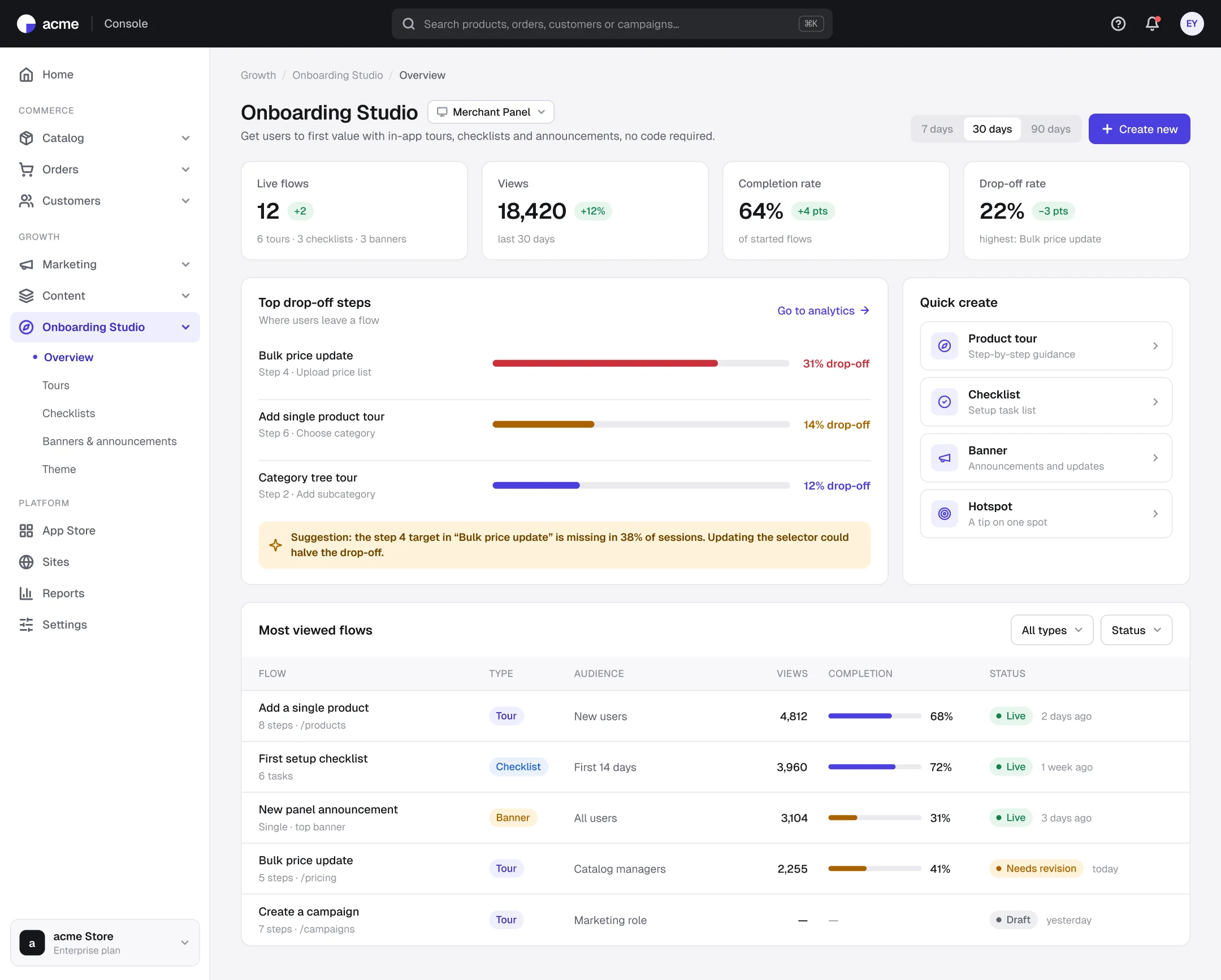
Overview: the most-dropped step comes first
- 1
Problems first
The screen surfaces the most-dropped steps, not the best performers.
- 2
With a suggestion
When the cause is known, such as a missing target element, it says what to do.
- 3
Quick create
Tours, checklists, banners and hotspots start in one click.
Screen 2
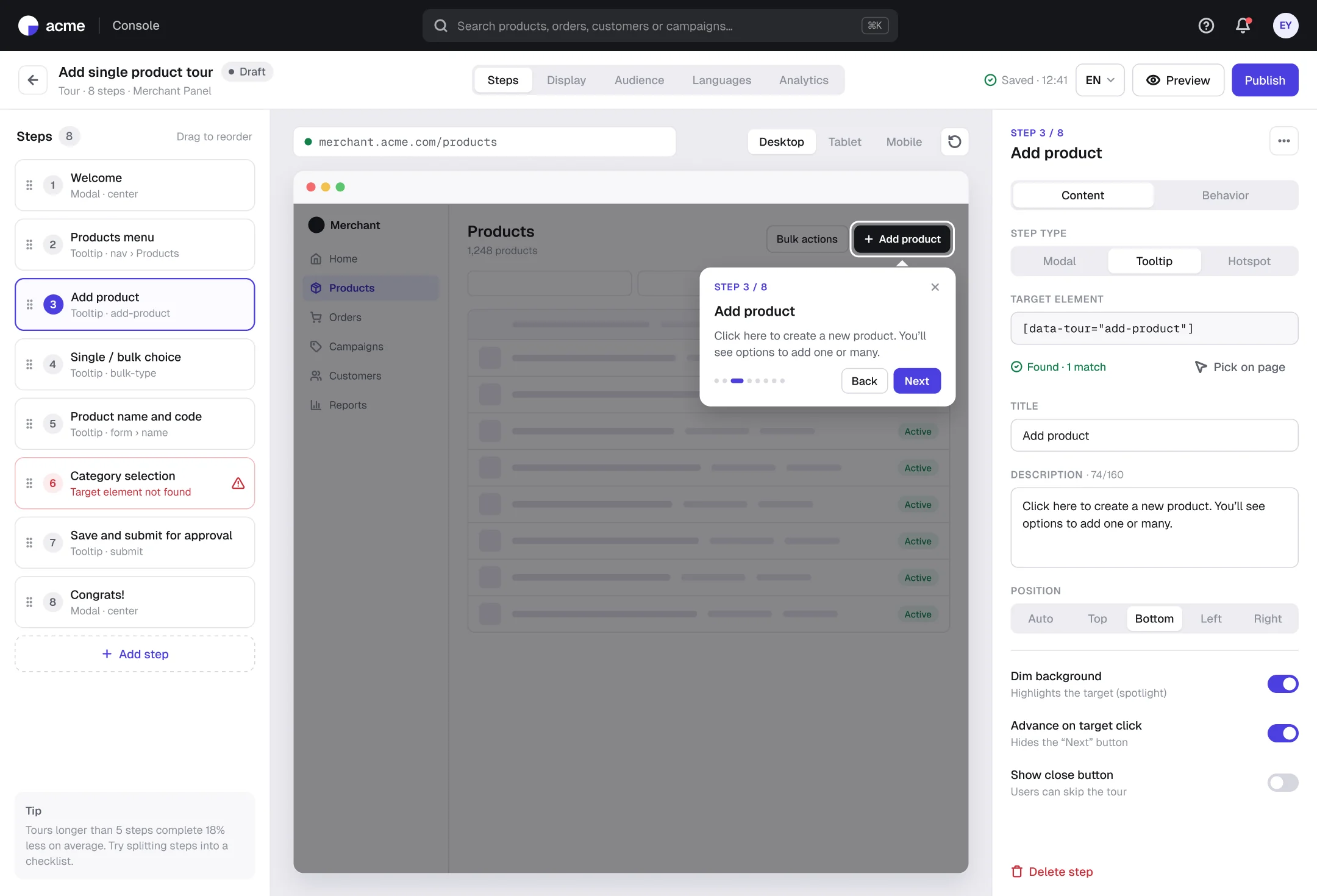
Tour editor: step list, live preview, properties
- 1
Broken steps show in the list
A step whose target can't be found is flagged red, so a broken tour doesn't go live.
- 2
Preview on the real page
Tooltip, spotlight and position are previewed on the panel's own screen.
- 3
Content and behavior apart
Copy settings and progress/button behavior live in two tabs, keeping the panel calm.
Screen 3
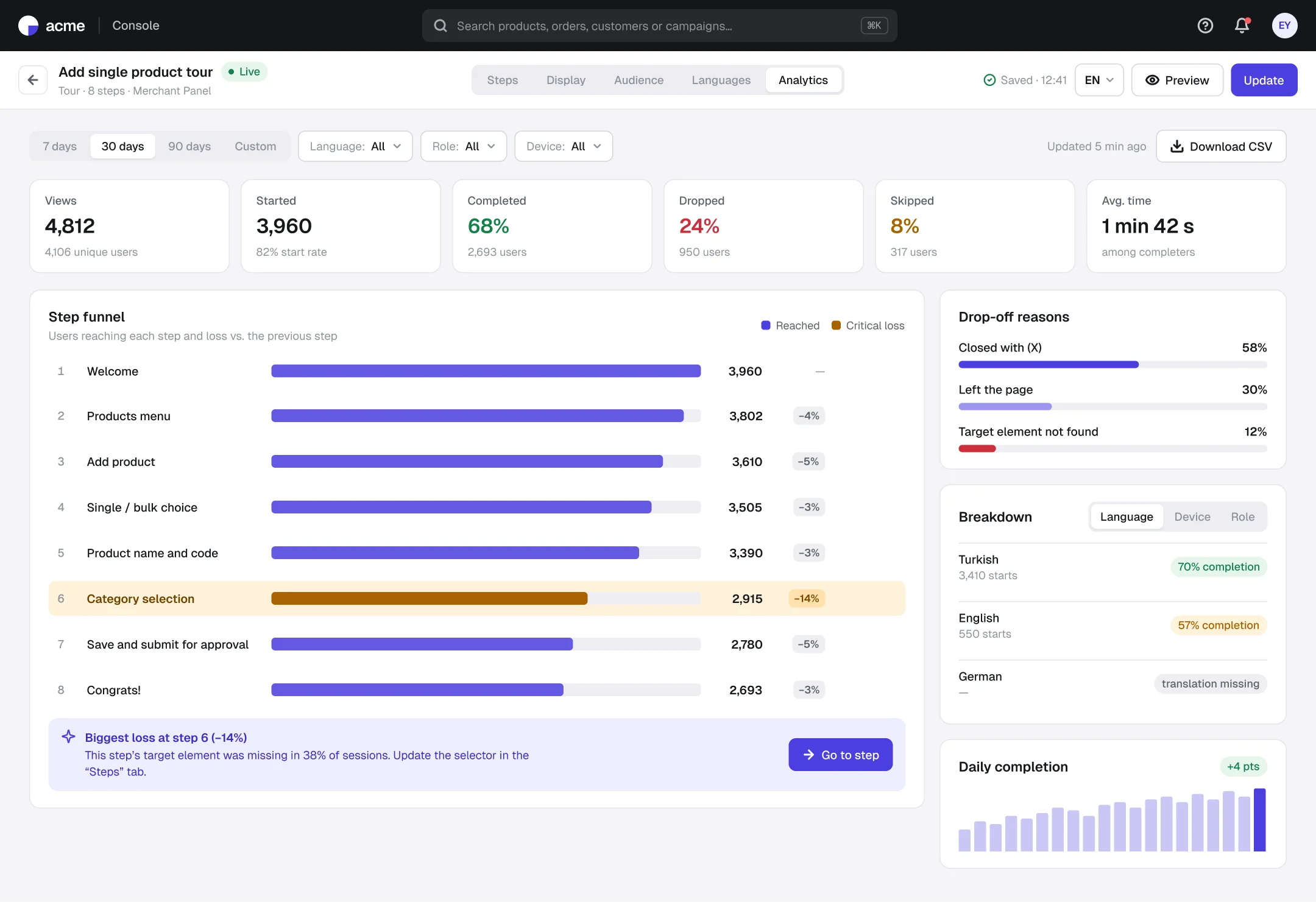
Tour analytics: where users drop, and why
- 1
Step funnel
Users reaching each step and the loss from the previous step sit side by side.
- 2
Critical loss is highlighted
Loss above the threshold is highlighted, and the insight card links straight to that step.
- 3
Language and device breakdown
A language with a missing translation or a low-completing device stands out on its own.
Outcomes
Intended impact and what I learned
Before publishing
when a broken step is caught
One click
from insight to the step to fix
Inside the panel
where tours are built and measured
MVP first, scope later.
Staying close to the flow teams already know and solving only real problems aims to make the switch easy.
Analytics should lead to an action.
Showing loss isn't enough; the screen takes you to the step to fix.
Next steps: checklist and banner analytics · translation approval flow · theme editor