Merchant Console · Bulk import
Importing hundreds of products, without the errors
In Lidia Merchant Console, sellers upload products to the product pool in bulk. I designed the import as part of the product pool flow; here it is through upload, mapping and validation.
Lidia's real screens are confidential. Screens on this page are representative work, redrawn with sample data based on my experience on these products.
Problem
Sellers upload files with thousands of rows. Errors only appeared row by row after uploading, and a single bad row could mean preparing the whole file again.
Solution
A template per product family, auto field mapping with confidence scores, and validation that groups errors by type and lets sellers fix them in place.
Intended impact
Bad rows no longer block the whole import, and errors get fixed without going back to the file.
Step 1
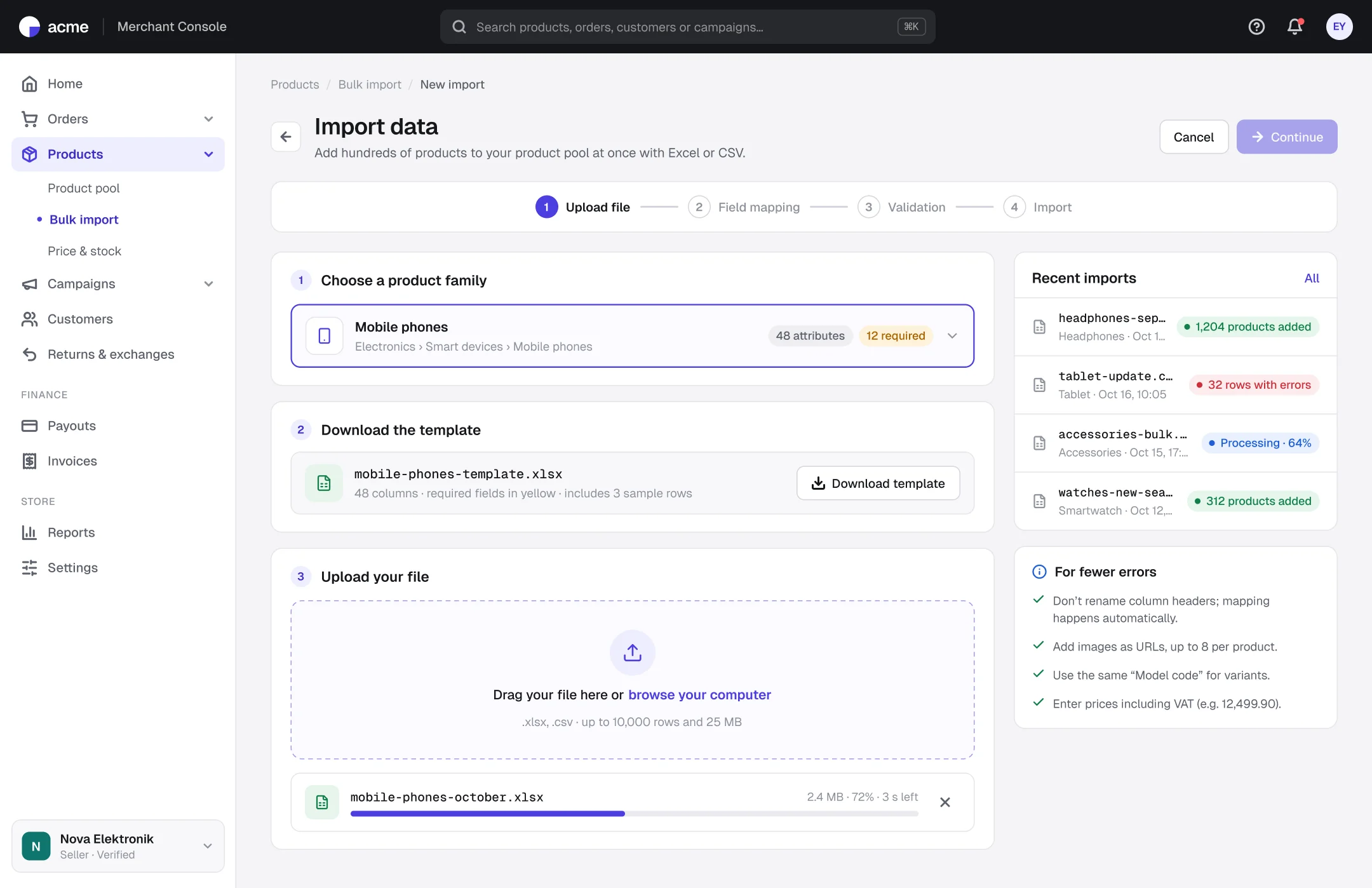
Upload: product family first, then the template
- 1
A template per family
The template includes the family's attributes and required fields, cutting errors at the source.
- 2
The whole process is visible
Four steps stay pinned at the top, so sellers know how much is left.
- 3
History and tips alongside
Past import results and common mistakes are visible while uploading.
Step 2
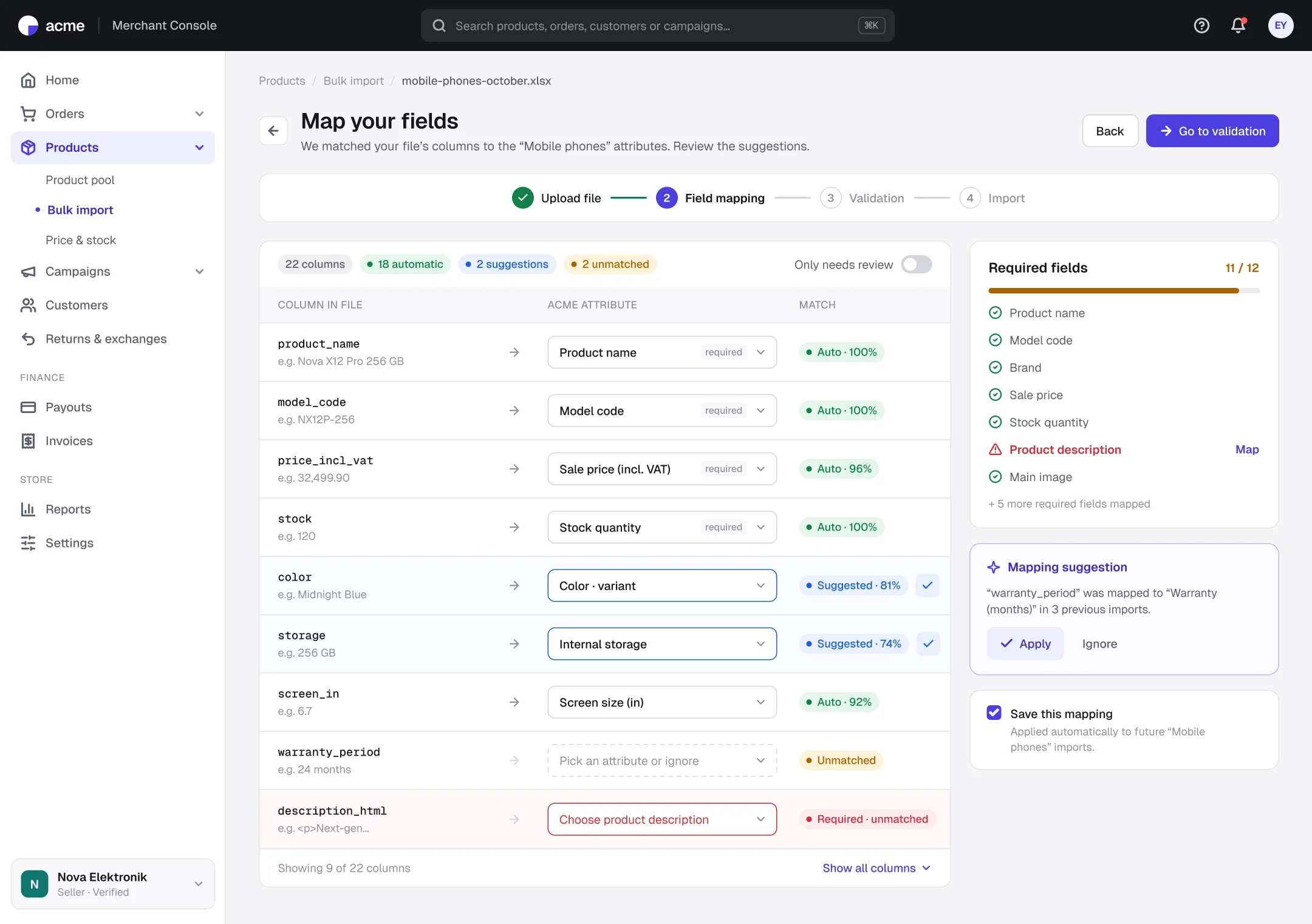
Field mapping: confidence scores and one-click approval
- 1
Automatic vs. suggested
Certain matches and suggestions that need a check use different colors.
- 2
Required field tracking
The side panel shows the missing required field and links straight to mapping it.
- 3
Mapping that learns
Mappings from earlier imports come back as suggestions and can be saved as a template.
Step 3
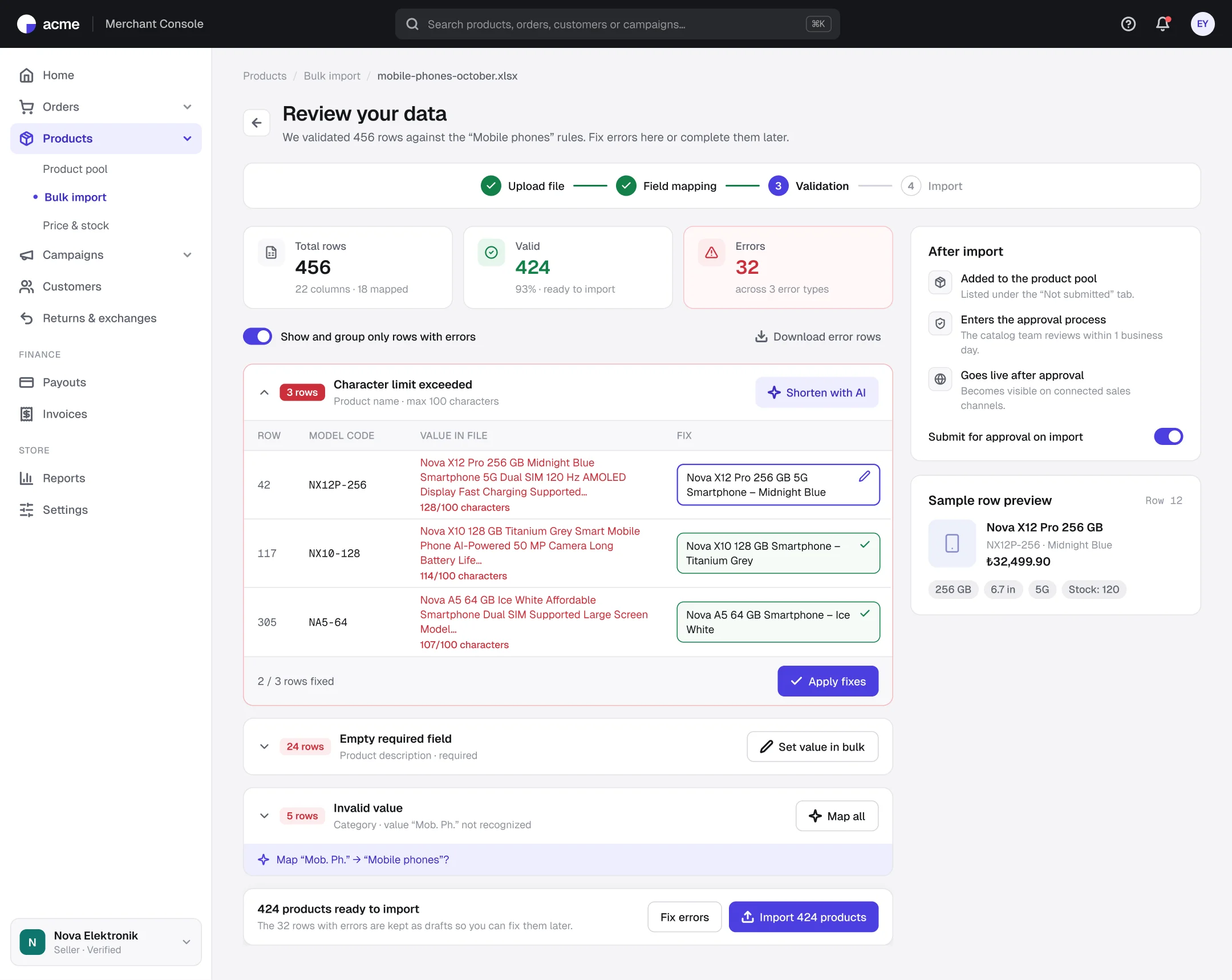
Validation: group errors, fix them in place
- 1
Grouped by error type
32 errors are listed as 3 error types, not 32 rows.
- 2
Inline fixes and AI suggestions
Product names over the character limit get a shortened suggestion in an editable field.
- 3
Valid rows in, errors on hold
Valid rows are imported while rows with errors are kept as drafts.
Outcomes
Intended impact and what I learned
3 groups
instead of 32 separate row errors
At the source
errors prevented by a family-specific template
Partial import
bad rows don't block the whole file
Think in error types, not rows.
Errors of the same type can be fixed in one action.
Don't send users back to the file.
Fixing in the interface removes the back-and-forth with Excel.
Next steps: image URL validation · variant grouping preview · scheduled imports