Console · Multi-site management
One tenant, many storefronts
In Lidia, one tenant can run several sites: a B2C store, an outlet, a B2B portal or a content site. I designed the add-site wizard and the site detail; here they are, redrawn with sample data.
Lidia's real screens are confidential. Screens on this page are representative work, redrawn with sample data based on my experience on these products.
Problem
Every new site needs linked settings: license, domains, language, catalog and store connection. One missing step keeps the site from selling, and that was often noticed only later.
Solution
A 4-step wizard that saves drafts, a domain step with a copyable DNS record, a sites list that flags missing steps on the card, and category × brand catalog visibility.
Intended impact
Anyone can see which step a new site is stuck on and why it isn't selling yet.
Screen 1
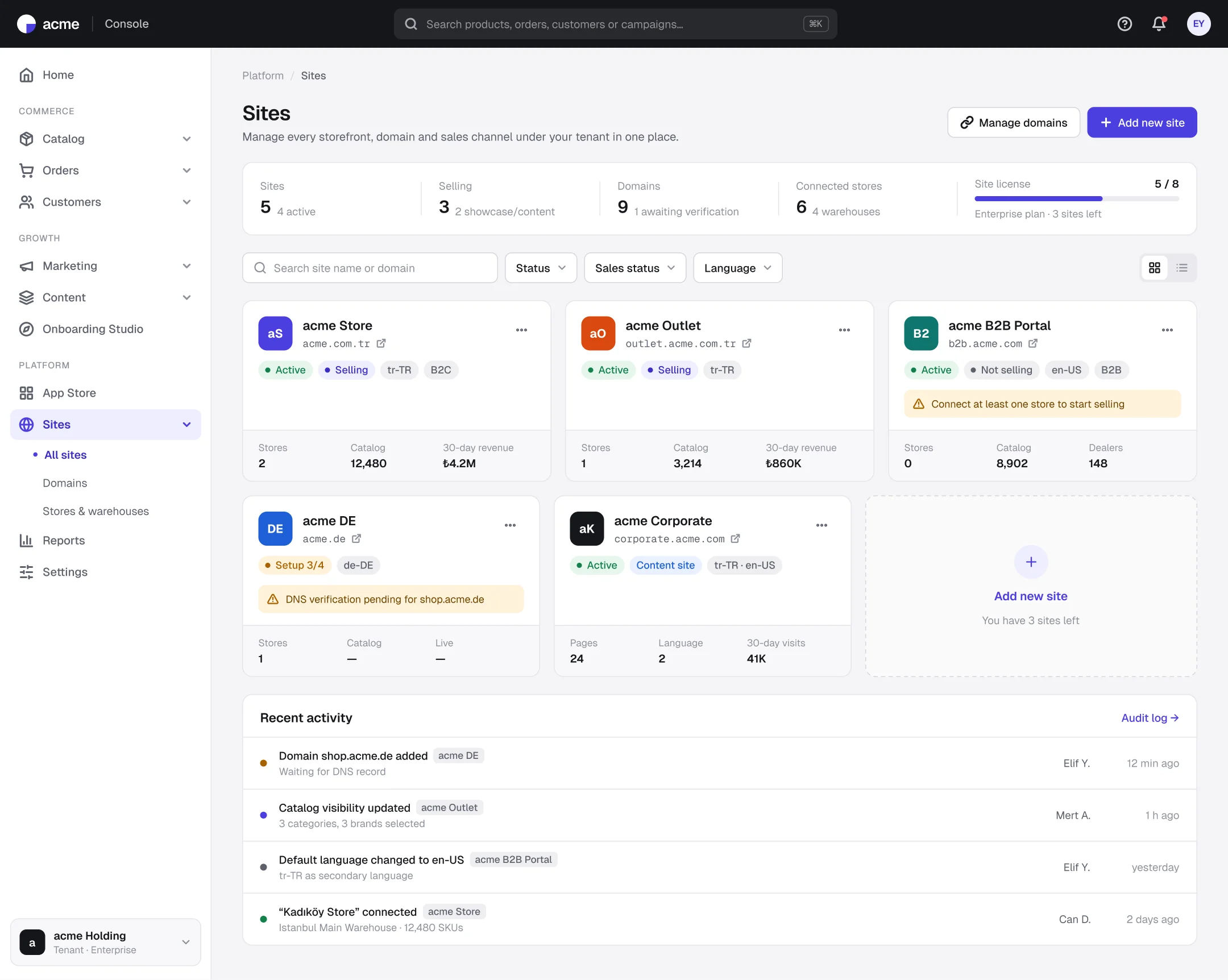
Sites: the missing step is on the card
- 1
Status and selling, apart
A site can be live yet not selling, so the two states get separate badges.
- 2
Missing-step warning
A site without a store or with pending DNS is flagged right on its card.
- 3
License usage
Remaining site slots are in the summary row, visible before adding a site.
Screen 2
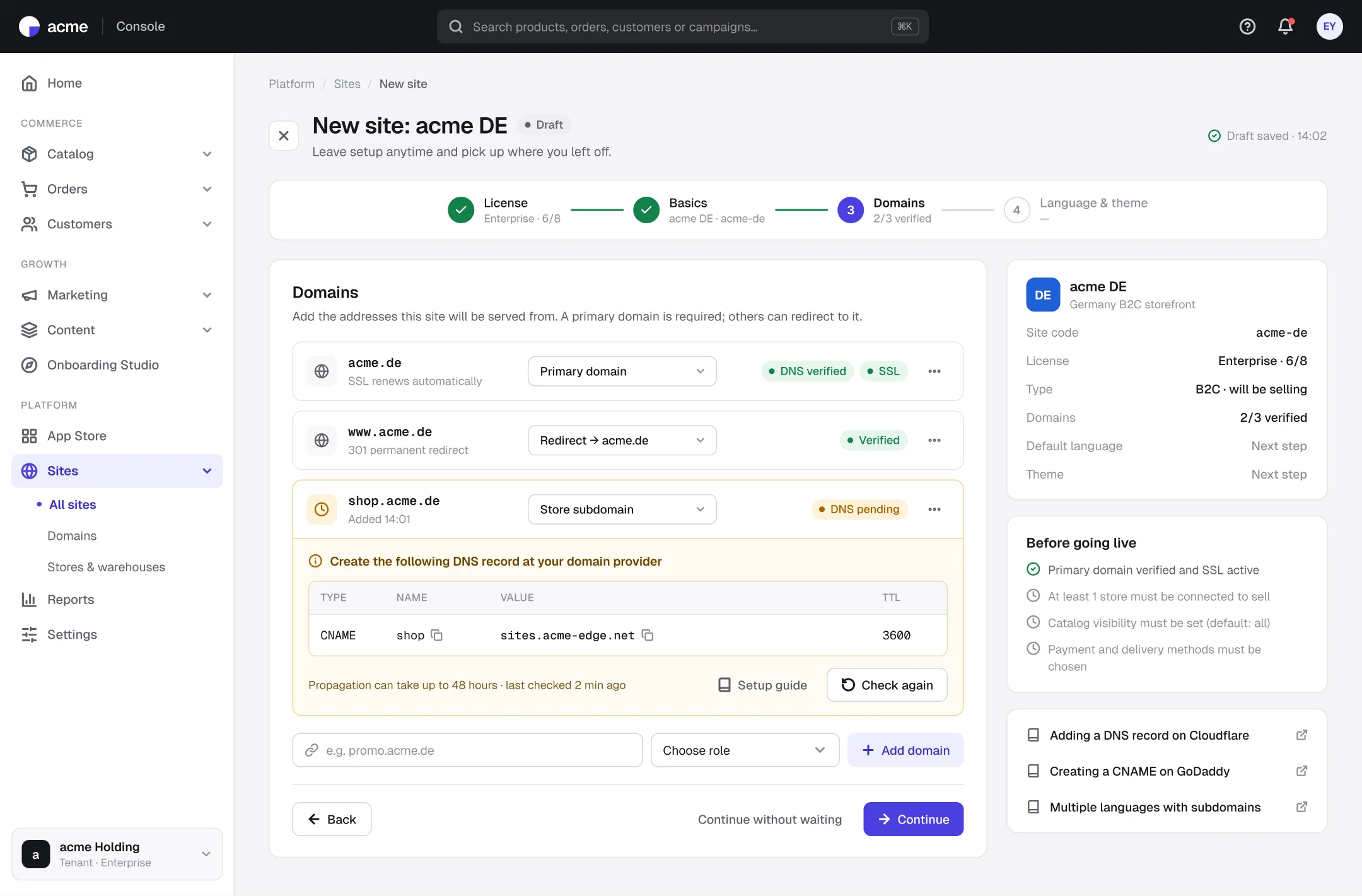
Wizard: domain verification and the DNS record
- 1
Domain roles
Primary domain, redirect and store subdomain are defined as separate roles.
- 2
Copyable DNS record
The record a pending domain needs is given ready to paste at the provider.
- 3
Pre-launch checklist
The side panel lists the steps left before the site can sell.
Screen 3
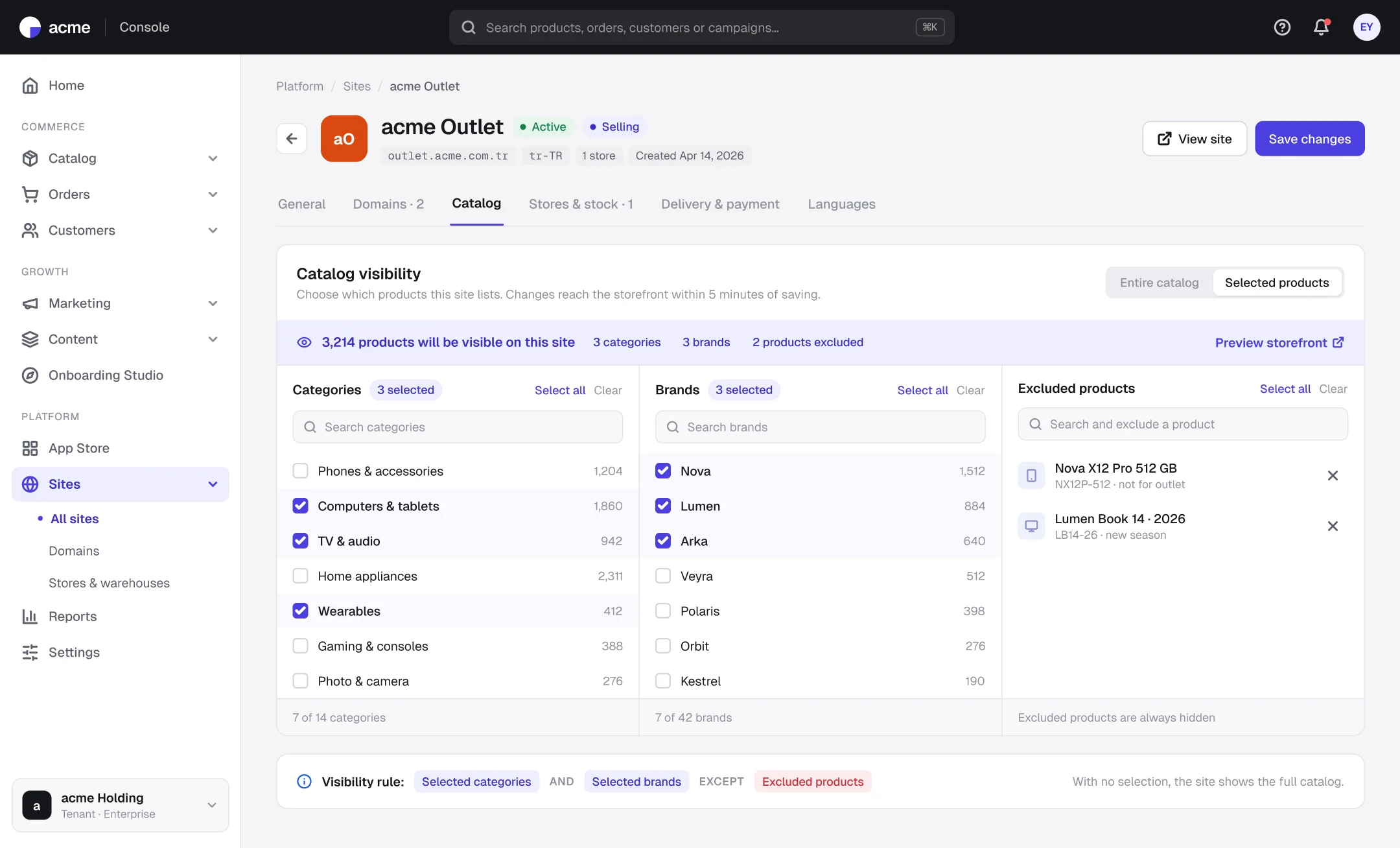
Catalog visibility: category × brand, with product exceptions
- 1
Instant result
The number of products the site will show updates as selections change.
- 2
Exclusions win
Specific products can be hidden regardless of the selections.
- 3
The rule as a sentence
Category AND brand, EXCEPT products: the visibility logic is written out underneath.
Outcomes
Intended impact and what I learned
4 steps
a new site, from license to language and theme
On the card
the missing step that blocks selling
Instantly
the number of products the site will show
Separate the states.
“Live” and “selling” are different; showing them apart prevents confusion.
Reduce technical steps to copy and paste.
Giving the exact text turns a technical step like DNS into something anyone can do.
Next steps: duplicate a site · compare price lists across sites · domain health monitoring